Back to School Apple Crayons Flower: A Digital Sublimation Design Resource for Educators and Crafters
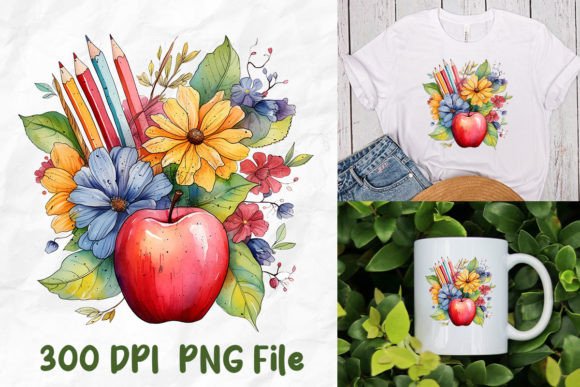
The Back to School Apple Crayons Flower is a curated digital design set intended specifically for sublimation printing on apparel, accessories, and classroom merchandise. Unlike generic clipart or mass-market SVG bundles, this collection centers on a cohesive, school-themed motif—apples, crayons, and floral accents—rendered in clean, scalable, and print-ready formats. It’s not a physical product, nor a printable PDF pack; it’s a ZIP file containing individual PNG files, each saved with transparent backgrounds and high-resolution clarity suitable for heat-transfer applications.
What Makes Back to School Apple Crayons Flower Distinct?
Several features differentiate the Back to School Apple Crayons Flower from broader design libraries or single-element graphics:
- Thematic consistency: Every design reinforces a unified visual language—friendly but polished, playful but age-appropriate for elementary through middle school environments.
- Sublimation-optimized formatting: Each file is delivered as a standalone PNG with no embedded layers, text, or effects that could interfere with RIP software or printer profiles.
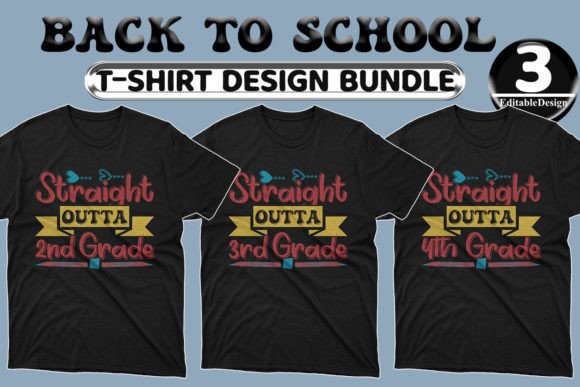
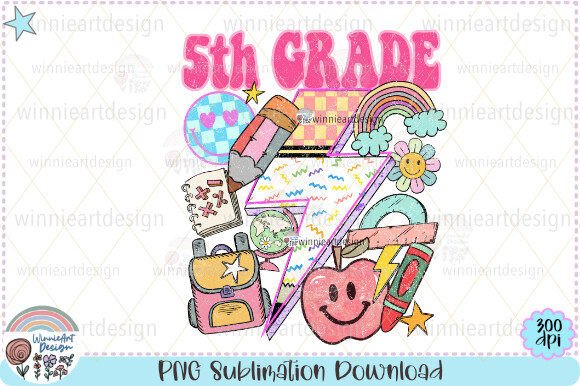
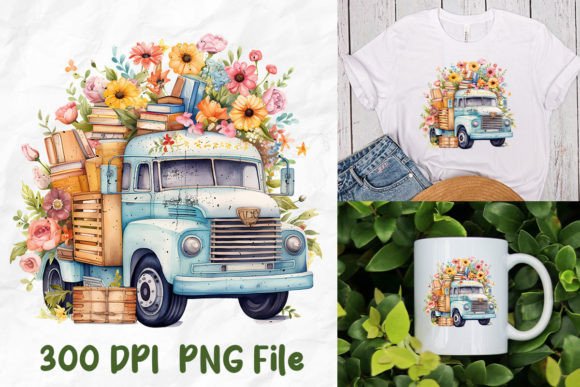
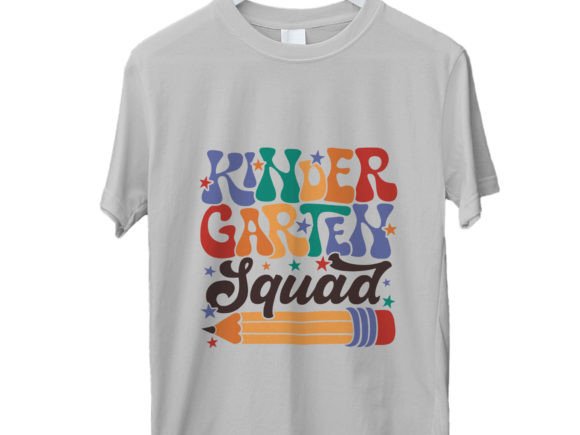
- No watermark in final files: The preview images shown online include watermarks for copyright protection—but the downloaded ZIP contains only clean, production-ready assets.
- File-level isolation: Rather than one layered PSD or multi-design SVG, users receive discrete PNGs—one per composition—making batch processing, resizing, or color replacement more predictable.
This structure suits users who value control over output fidelity and workflow efficiency, especially those integrating designs into automated production pipelines or customizing items for school spirit events, teacher appreciation gifts, or PTA fundraisers.
How It Compares to Other Digital Design Formats
Digital design resources come in many forms—SVG, EPS, AI, PSD, and PNG—and each serves different technical needs. The Back to School Apple Crayons Flower uses PNG exclusively, which introduces both advantages and constraints depending on your setup.
PNG files preserve transparency and render consistently across most sublimation RIP programs (like Sawgrass Creative Studio, MPress, or PrintFactory), but they lack vector scalability. That means while a 3000×3000 px PNG works well for an adult-sized t-shirt front print, enlarging it significantly beyond its native dimensions may result in pixelation. In contrast, an SVG version would retain sharpness at any scale—but only if your software supports vector-to-sublimation conversion without rasterization steps that degrade quality.
Also worth noting: this listing does not include editable source files (e.g., layered Photoshop documents or Illustrator vectors). If you regularly adjust colors, isolate elements, or recombine motifs, you’ll need to rely on external editing tools like GIMP, Affinity Photo, or Adobe Photoshop to modify the PNGs post-download.
Strengths and Practical Use Cases
The Back to School Apple Crayons Flower excels in scenarios where speed, visual cohesion, and reliability matter more than deep customization:
- School supply branding: Printing matching tote bags, pencil pouches, or laminated name tags for new students—where consistent apple-crayon-flower iconography builds recognizable identity.
- Teacher gift kits: Applying designs to ceramic mugs, mouse pads, or canvas totes for welcome-back gifts—PNGs load quickly into most sublimation interfaces without preflight errors.
- Small-batch classroom decor: Creating bulletin board headers, award certificates, or laminated center signs—especially when time is limited before the first day of class.
Because each design is saved separately, users can mix and match sizes and placements without opening multiple files or managing complex layer hierarchies. This reduces cognitive load during setup—particularly helpful for educators managing sublimation alongside lesson planning.
Tradeoffs and Limitations to Consider
No digital asset fits every use case, and the Back to School Apple Crayons Flower has clear boundaries:
- Not for embroidery digitizing: PNGs cannot be directly converted to .DST or .PES files without third-party tracing tools—and even then, results vary based on edge complexity and anti-aliasing.
- Not compatible with all Cricut/Silhouette workflows: While some cutting machines accept PNGs for print-then-cut, they won’t recognize cut lines unless manually added in design software. SVG or DXF would be preferable for precise die-cutting.
- No alternate color versions included: All designs are delivered in fixed palettes. If your brand guidelines require specific Pantone matches or monochrome variants, you’ll need to adjust them yourself.
- Requires software compatibility verification: Not all sublimation platforms handle large PNGs identically—some may auto-resize or compress upon import. Always test one file before committing to full production.
These aren’t flaws so much as functional parameters. They reflect a design-first, production-focused approach—not a general-purpose graphic toolkit.
When It’s the Right Choice—and When It Might Not Be
The Back to School Apple Crayons Flower is ideal if you:
- Already own or operate a sublimation printer and want plug-and-play school-themed assets;
- Prefer working with flat, transparent-background images rather than navigating vector nodes or layer masks;
- Need designs that look cohesive across multiple products without needing to rebuild compositions each time;
- Are preparing materials for a defined back-to-school timeline and value predictability over flexibility.
It’s less suited if you:
- Routinely adapt artwork for screen printing, vinyl cutting, or embroidery;
- Require editable vector paths to scale logos for banners or vehicle wraps;
- Work with clients who demand strict brand compliance (e.g., exact CMYK values or font licensing);
- Prefer subscription-based access to rotating seasonal designs rather than one-time purchases.
In those cases, exploring hybrid offerings—such as vector + PNG bundles—or licensed design marketplaces with filtering by format and use rights may better align with long-term operational needs.
Making an Informed Decision
Evaluating the Back to School Apple Crayons Flower isn’t about whether it’s “the best” option overall—it’s about whether its specific combination of theme, format, and delivery meets your current technical environment and creative goals. Before downloading, verify two things: first, that your RIP software or sublimation platform accepts PNGs at the resolution you intend to use; second, that your intended output size falls within the effective range of the provided files (most are optimized for prints up to 12×12 inches at 300 DPI).
If you’re comparing similar listings, pay attention not just to aesthetics but to metadata: file count, dimensions, background treatment (transparent vs. white), and whether previews accurately reflect final output. Some sellers embed subtle compression artifacts or low-DPI previews that misrepresent real-world usability—a detail easy to miss unless you cross-check specs against your known workflow tolerances.
Ultimately, the Back to School Apple Crayons Flower represents a focused, execution-oriented resource—not a broad creative suite. Its value lies in reducing friction between concept and finished product, especially during time-sensitive periods like late summer preparation. For educators, small-business crafters, and community organizers seeking reliable, on-brand visuals without extensive design overhead, it offers a practical, narrowly tailored solution.