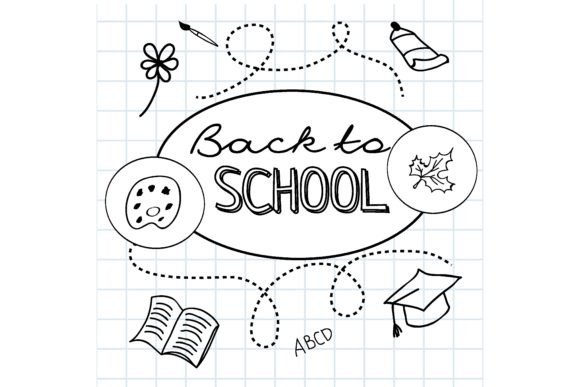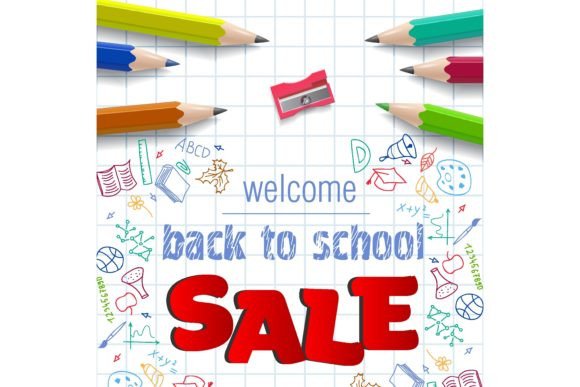
Back to School Vector Image Template
Whether you’re designing a classroom newsletter, launching an education-focused product campaign, or preparing back-to-school social media assets for your small business, having a flexible, professional-grade visual foundation makes all the difference. The Back to School Vector Image Template delivers exactly that — a clean, scalable, and fully editable resource built for real-world use.
Why a Vector Template Beats Stock Photos or Raster Graphics
Raster images (like JPEGs or PNGs) pixelate when enlarged — a problem when you need the same design to work on a tiny Instagram story and a large printed banner. Vectors, by contrast, are math-based and infinitely scalable. This particular Back to School Vector Image Template comes in EPS 10 format, ensuring compatibility with industry-standard tools like Adobe Illustrator, CorelDRAW, and Affinity Designer — without loss of quality at any size.
More importantly, it’s not just scalable — it’s structured. Layers are logically named and grouped: backpacks, notebooks, pencils, chalkboards, and stylized “Back to School” typography are separate elements. That means you’re not stuck with a static scene. You can remove the apple icon and replace it with a laptop graphic, or isolate the chalkboard background to use independently in a presentation slide.
Editable RGB Colors: Control That Matters
The included EPS 10 file supports full RGB color editing — no locked swatches, no hidden layers, no guesswork. Every shape, text block, and gradient is adjustable directly in your vector editor. If your brand uses Pantone 294 C for primary blue but the template defaults to a generic cobalt, you change it in seconds — and the change applies consistently across all elements using that color.
This isn’t just about branding alignment. It’s about efficiency. Educators building a district-wide welcome packet can standardize colors across 20+ pages without manually adjusting each element. A freelance designer delivering assets to three different tutoring startups can rebrand the same template three times — each in under five minutes — using saved color palettes.
Real Use Cases Across Roles
Educators and school staff: Create consistent, visually engaging handouts, orientation guides, or bulletin board headers without relying on clip art or low-res downloads. Because the template is editable, you can add your school’s mascot or logo next to the existing icons — and export crisp PDFs for printing or web use.
Small business owners and marketers: Launch seasonal promotions for tutoring services, after-school programs, or educational toys. Swap out the default notebook icon for your product photo, adjust colors to match your Shopify theme, and generate banners, email headers, and Facebook cover images — all from one source file.
Bloggers and content creators: Illustrate seasonal posts (“5 Study Tips for Freshmen”) with custom visuals that reflect your voice. Instead of generic stock imagery, use the vector as a base — recolor the pencil yellow to match your blog’s accent color, add a subtle shadow effect, and embed it in a tutorial post. Readers notice authenticity — and consistency builds trust.
Freelancers and agencies: Reduce revision cycles. Clients often request “just one more color change” or “can we make the backpack bigger?” With this template, those requests take seconds — not hours — because everything is native vector, layered, and labeled. That translates to faster turnaround, fewer follow-up emails, and stronger client retention.
What Makes This Template Stand Out (Beyond Format)
It’s not just about having a vector file — it’s about how thoughtfully it’s built. Unlike many free or low-cost templates, this one avoids over-complex gradients, embedded raster textures, or non-uniform stroke weights that break when resized. The shapes use simple fills and clean paths, making them easy to modify even for intermediate users.
The typography is outlined but retains hinting-friendly curves — meaning if you convert the text back to editable type (and have the recommended font installed), it scales cleanly. And because it’s EPS 10, it opens reliably in older versions of Illustrator (CS6+) and newer — no version lock-in or conversion errors.
When to Consider Alternatives
This Back to School Vector Image Template excels when you need flexibility, control, and professional output — but it assumes basic familiarity with vector editing software. If you only use Canva or PowerPoint and don’t plan to learn Illustrator or Affinity, a well-designed Canva template with drag-and-drop customization may be more practical — even if it offers less long-term adaptability.
Also, while the EPS includes rich RGB editing, it does not include CMYK-ready separations or pre-press bleed marks. Printers requiring press-ready files may need to add those manually — though most modern digital print services accept RGB EPS without issue. For high-volume offset printing, consult your vendor first.
Getting Started Without Overwhelm
You don’t need to master every vector tool to benefit. Start small: open the EPS file in Illustrator, select the main headline text, and change its fill color using the Color panel. Then try ungrouping the backpack group and deleting one strap — notice how the rest stays intact. These micro-actions build confidence quickly.
For educators short on time: duplicate the file, rename it “Grade3-Welcome-2024”, and replace only the central “Back to School” text with “Welcome to Third Grade!”. Export as PNG for email or PDF for printing — done in under two minutes.
For designers building a brand system: save your adjusted color palette as an Adobe Swatch Library (.ase) and reuse it across other projects. That way, your back-to-school assets, holiday promo, and summer camp graphics all share visual continuity — without manual cross-checking.
A Tool That Grows With Your Needs
What begins as a single-use template often becomes part of a larger workflow. Users report adapting the same file for end-of-year celebrations (swap pencils for graduation caps), remote learning announcements (add a laptop and Wi-Fi icon), or even parent-teacher conference invites (replace chalkboard with a calendar icon). Its modularity supports iteration — not repetition.
That adaptability also future-proofs your investment. Unlike raster bundles that age quickly or become outdated in style, vector templates like this one remain relevant across design trends. A simplified, line-art version of the same concept could be created in under an hour — preserving your structure while refreshing the aesthetic.
In short, the Back to School Vector Image Template is more than decoration. It’s a productivity multiplier, a branding accelerator, and a creative scaffold — especially when paired with the precision of EPS 10 and editable RGB colors. Whether you're preparing for the first day of class or launching your third edtech startup, having a reliable, editable visual foundation saves time, reduces friction, and lets you focus on what matters most: your message, your audience, and your goals.